

AERMOD View Transition Guide
Transitioning from BEEST to AERMOD View?
We're here to help make your transition easier.
With the discontinuation of the BEEST Suite software application and support services, many air quality professionals are exploring alternative modeling software for their ongoing and future projects.
At Lakes Environmental Software, we understand that changing modeling applications is an important decision, especially when you have existing projects, established workflows and deadlines to meet.
Whether you're an experienced BEEST user or considering AERMOD View for the first time, we're here to help you explore your options.
Why Choose AERMOD View?
One Complete Interface. All the Tools You Need.
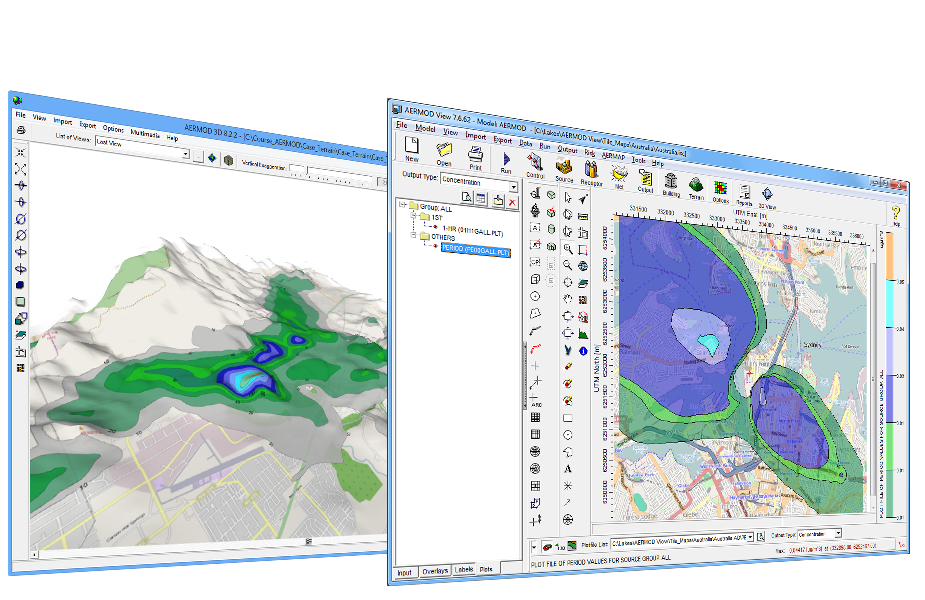
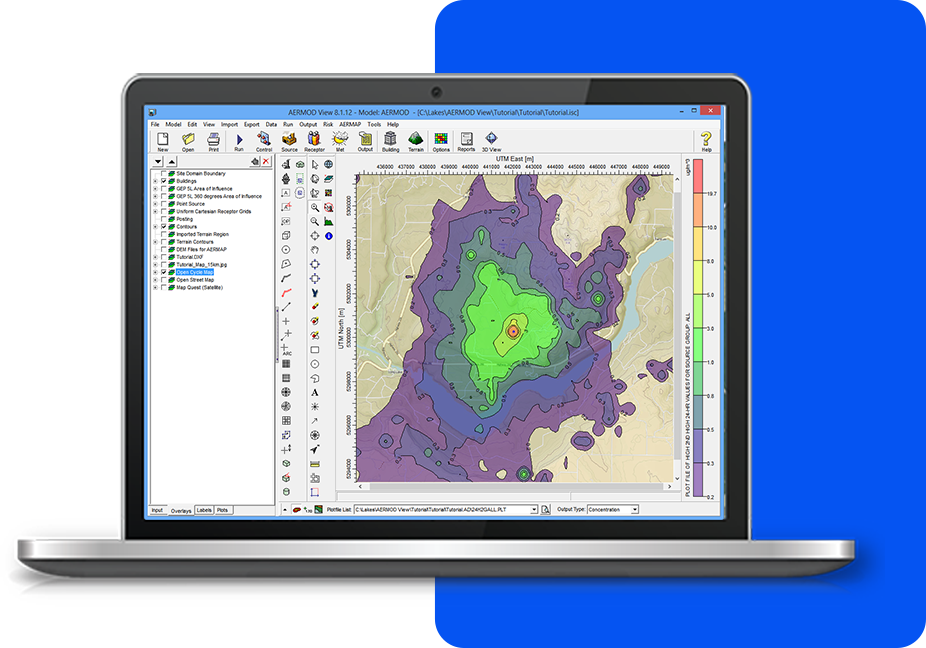
AERMOD View is a powerful, all-in-one graphical user interface for the U.S. EPA AERMOD air dispersion modeling system. Designed to simplify the modeling process, it brings together the tools you need to prepare, execute and analyze your projects in one easy-to-use application.
Unlike other commercial AERMOD interfaces that may require additional modules or separate purchases, AERMOD View includes a comprehensive range of features in one package, including:
- Integrated meteorological and terrain preprocessing tools
- AERMOD parallel processing to help reduce model run times
- Built-in GIS, mapping and 3D visualization
- Advanced results analysis and graphical reporting
- Google Earth integration for visualization and sharing
With AERMOD View, you get a complete modeling solution without the added expense of purchasing separate modules for essential features, along with ongoing software updates and technical support through active maintenance.
Empowering Air Quality Professionals with
an All-in-One Software Package
We’re here to make things easy! Here’s a list of everything included with your software purchase:
Existing Projects
Some project elements may need to be recreated, but our team is here to help answer your questions as you make the transition.
Licensing Options
Special competitive pricing is available for qualifying BEEST users, with additional discounts for multiple licenses.
Training
Our courses combine AERMOD modeling theory with numerous hands-on exercises using AERMOD View, making them valuable for beginners and experienced modelers alike.
Transition to AERMOD View Questions
Below you will find answers to the questions we get asked most about the transition to our AERMOD View Software.
AERMOD View cannot directly open native BEEST project files. However, it can import compatible AERMOD input files generated by BEEST or other third-party modeling applications.
This provides a way to bring existing model information into AERMOD View without necessarily rebuilding the entire model from the beginning.
Compatible AERMOD input files can be used to import information such as sources, source groups, receptors, emissions, and model options.
Building information can also be imported using supported BPIP input files.
Project data can also be imported using unique Excel templates.
Certain visual elements, including maps and project annotations, may need to be recreated manually.
We recommend reviewing imported information carefully to ensure your project is configured as intended.
AERMOD View supports the AERMOD MPI modeling executable, which allows model calculations to be distributed across multiple processors.
The standard MPI configuration supports up to eight processors. Options for higher processor counts should be discussed with Lakes to determine the appropriate configuration and licensing requirements.
AERMOD View supports importing building information from BPIP input files and AutoCAD DXF files.
Stack locations can be imported from compatible AERMOD or BPIP input files, while property boundary information can be imported using supported RPB or CSV files.
AERMOD View includes the Batcher interface which allows modelers to execute AERMOD input files in sequence. Batcher does not require a license to operate.
Each AERMOD View license includes functionality for executing runs with the parallelized AERMOD MPI executable on a separate computer using Batcher, subject to the applicable licensing and processor limits.
This can be useful for organizations that prepare projects on individual workstations and use a dedicated modeling computer for larger runs.
The secondary MPI/Batcher activation is intended for executing prepared model runs rather than providing a second full AERMOD View interface.
Yes. AERMOD View can be installed on multiple computers within the licensed office, but each license can only be active on one computer at a time.
The web-based activation feature allows users to move an available license between computers as needed.
Additional licenses are required when multiple full AERMOD View installations need to be active simultaneously.
Multiple pollutants or operating scenarios are not managed as separate scenarios within a single AERMOD View project.
Users should plan to organize different modeling configurations in separate projects as appropriate.
AERMOD View does have a project copy function so that new scenarios can be easily generated from existing projects.
AERMOD View provides tools for importing compatible AERMOD input files, but users are responsible for reviewing and validating their converted projects.
Our technical support team can assist with questions about AERMOD View's supported import functionality, subject to applicable support eligibility.
Yes! Lakes offers special competitive pricing for qualifying BEEST users transitioning to AERMOD View.
Proof of existing software ownership is required, and additional licensing discounts may be available depending on your organization's requirements.
Contact our sales team for pricing information.
Absolutely! We offer one complimentary three-day trial license per office.
The trial is assigned to one designated user and runs for three consecutive days once activated.
We recommend selecting a start date that gives you sufficient time to explore the software.
Our online courses are conducted live from 8:30 AM to 5:00 PM Central Time (Chicago, USA). Please note that recordings are not available.
Ready to Explore AERMOD View
Contact Lakes to discuss licensing, training and competitive pricing.
NOTE: BEEST is a product name of its respective owner. Lakes Environmental Software is not affiliated with or endorsed by the owner of BEEST.
Subscribe to our Newsletter
This monthly publication features announcements of upcoming events, details on the latest Lakes Environmental software releases, and helpful modeling tips.