

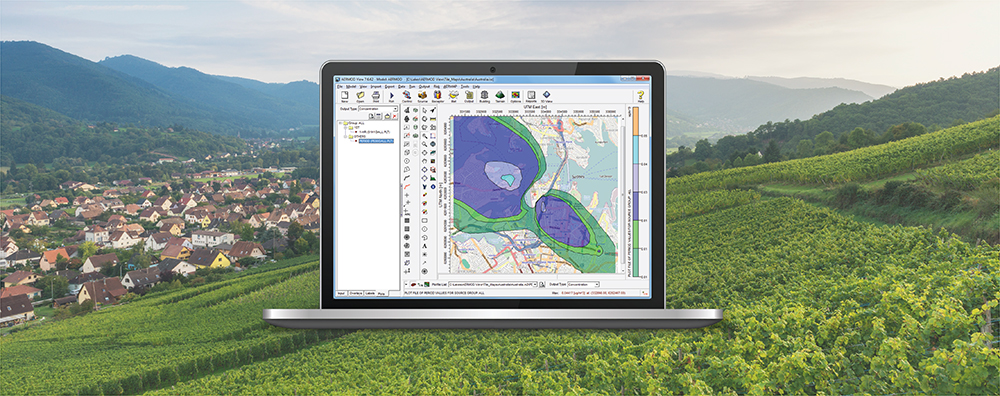
The AERMOD air dispersion model provides modelers with several options for characterizing emissions that vary over time. One of the most flexible options is the use of an hourly emission file (HOUREMIS keyword on AERMOD’s Source Pathway). This option allows modelers to specify emission rates and certain source release parameters on an hour-by-hour basis.
Prior to the release of AERMOD 26135, all hourly emission data for a model run had to be compiled into a single file. This could make preparing and maintaining emission data for large, complex modeling projects particularly challenging.
Beginning with AERMOD View Version 14.0, modelers can take advantage of AERMOD’s new capability to use multiple hourly emission files in a single model run. This allows modelers to organize hourly emission data in a variety of ways, including:
- Different facilities within a modeling domain
- Different processes or operating units at a facility
- Different source types (e.g., point, area, and volume sources)
Follow the steps below to utilize this new functionality in AERMOD View.
Step 1: Open the Source Pathway and select the Hourly Emission File settings under Source Options. Enable the Hourly Emission Rate File checkbox.
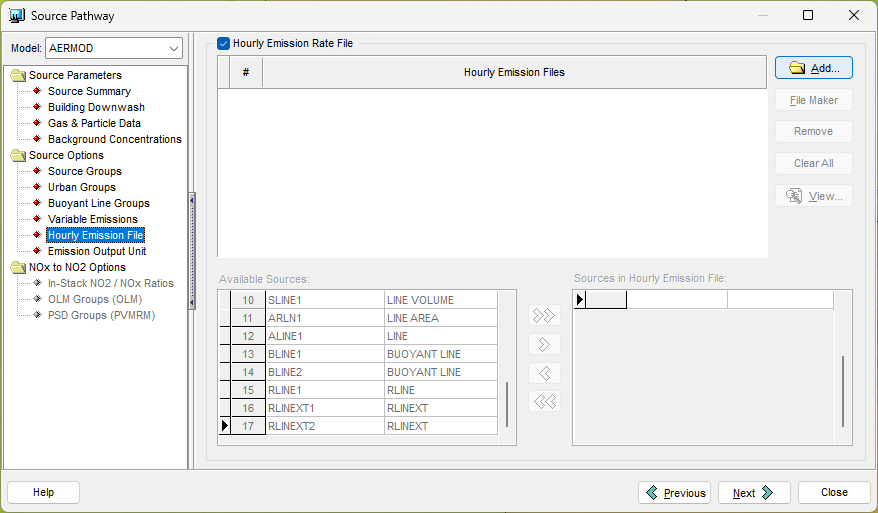
Step 2: Use the Add button to identify existing hourly emission files. Select a file from the list and use the arrow buttons to move the applicable sources from the Available Sources table to the Sources in Hourly Emission File table.
Step 3: Repeat this process for each hourly emission file in your project.
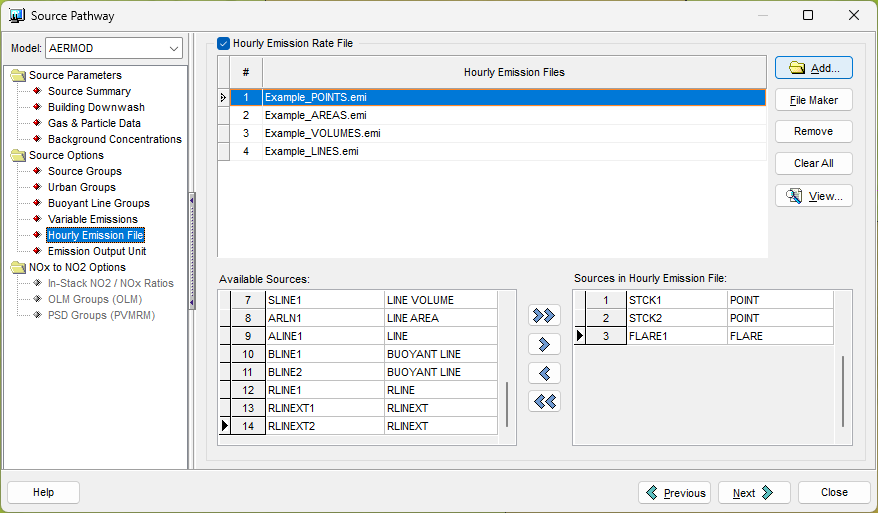
Note: While AERMOD now supports multiple hourly emission files, each individual source can only be associated with one file. Also, the dates and hours in each file must correspond to those in the project’s meteorological data files.
To aid modelers in building hourly emissions files, AERMOD View also contains an Hourly Emission File Maker utility. This tool received a major update in Version 14.0. Accessible via the File Maker button, the updated utility features a redesigned interface to simplify the input of hourly emission data. Support has also been extended to additional source types including Line Volume, Line Area, RLINE, and Buoyant Line sources.
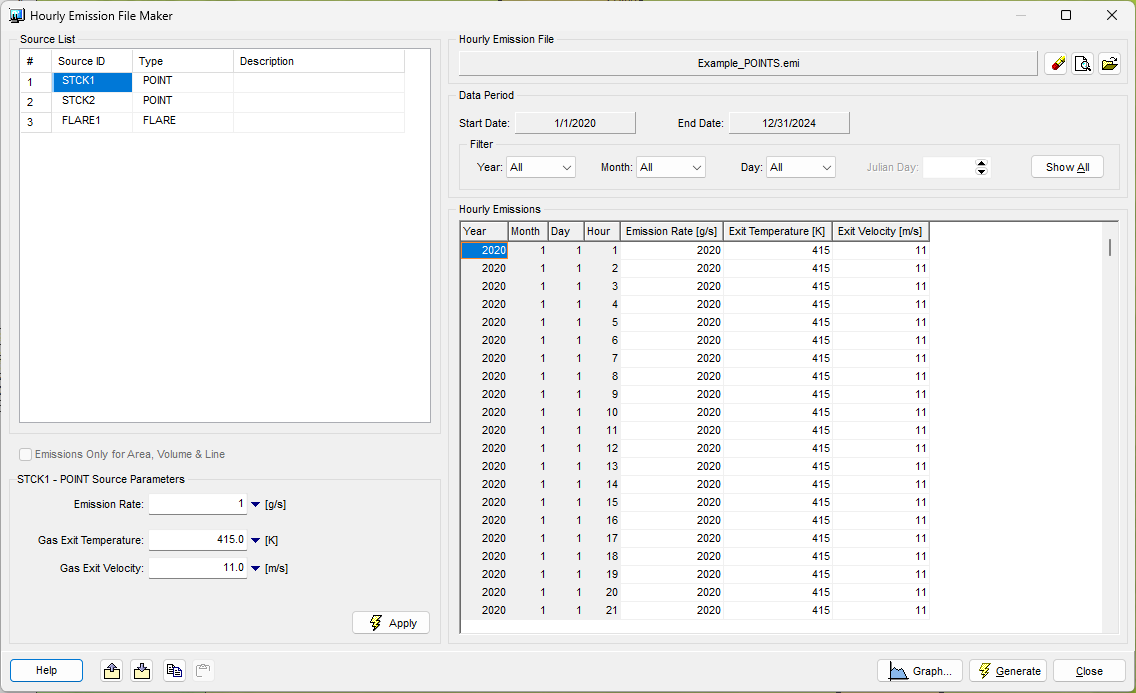
These new features give modelers greater flexibility in preparing, organizing, and maintaining hourly emission data without having to consolidate all source data into a single file.
Note: The use of multiple hourly emission files requires AERMOD 26135 or later. Modelers utilizing AERMOD 24142 or earlier are still limited to a single hourly emission file per model run.